Found Sounds: Building a Music Map From the Songs My iPhone Hears
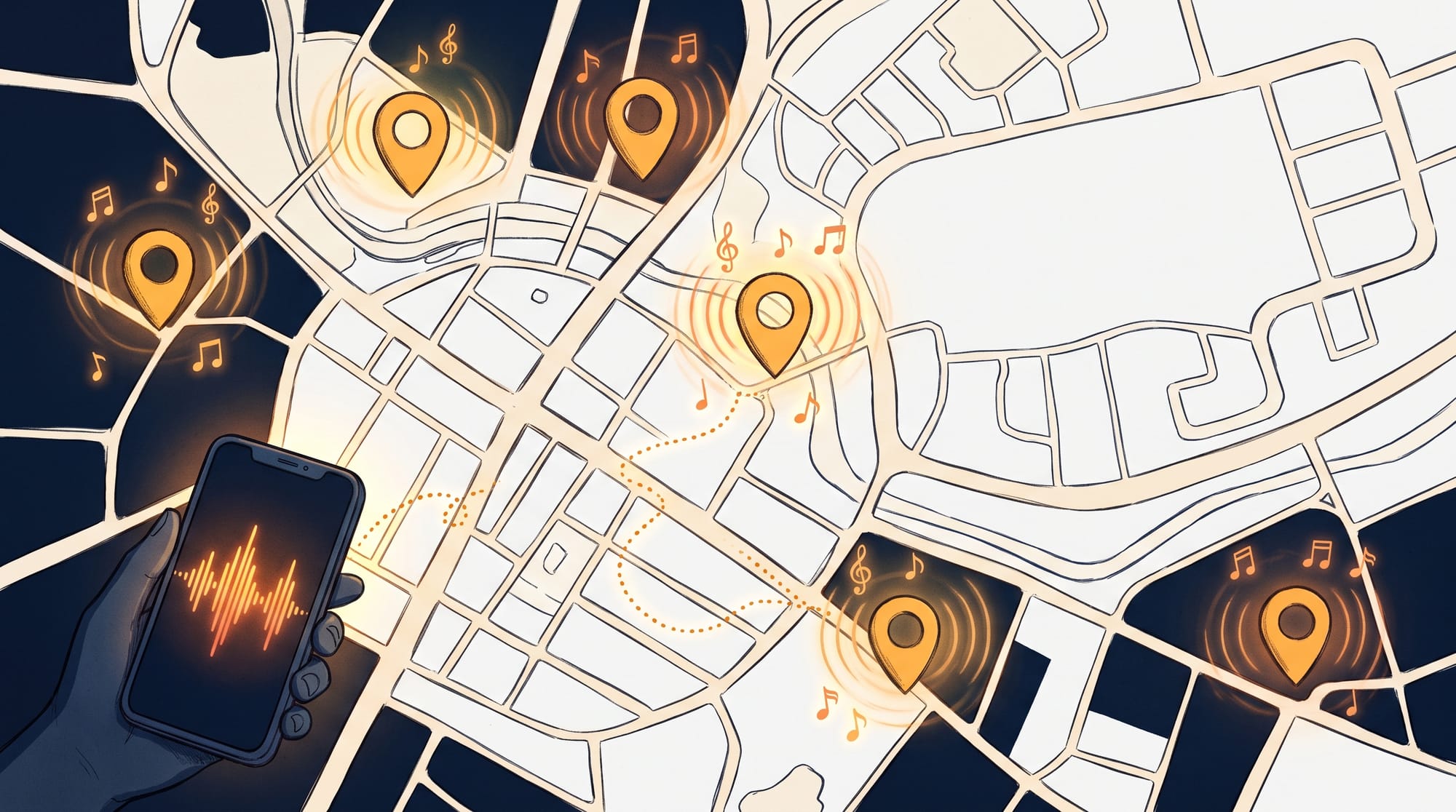
As many of my friends and family know I love listening to and discovering new music its one of the best parts of my life. What may not be known or maybe is event a new revelation myself even is my love for sustainable systems that require a lot of work and mental rigor to set up but have longterm value the more they are used.
I make generous use of the hidden tools integrated in my iPhone and would argue most people don't (probably worth a blog post unto itself). A couple of the items that I take advantage of that I believe most don't are the build in music recognition feature and Shortcuts app. There is typically a great song I hear and immediately grab my phone to find out what it is and how can I add it to my library like I'm the Ash Ketchum of music nerds. This started with just recognition then recognition and manually adding to a playlist. After doing this A LOT I wondered if its possible to automate this using Shortcuts app, so I did. This was relatively easy to set up and worked for me but it only sprang up more ideas.
Music Discovery Log
After the initial creation of the playlist update Shortcut I felt like I was leaving some interesting explorations on the table. What else can I do with this where else can I send this data and these songs. Sense iPhone come with so much contextual data inherently like location, time and all of the song data I'm already capturing a map experience would be interesting. Also it scratched the itch of knowing its somewhat feasible but would still take some exploration. Plus the idea of having phone audio capture power a website I had not seen anywhere.
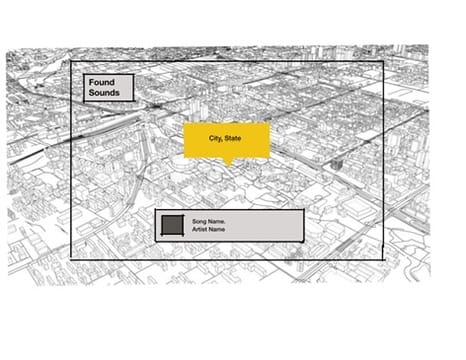
I probably did not do this in the right order, but I quickly went into Procreate on my iPad to do mocks. Then into Claude to create the website that would house all of the songs in the log. It's definitely like hopping to the end step before you have a bridge to connect to the rest of the flow.
I needed to feel confident about being able to provide a sturdy but delightful user experience that could fit into my existing workflow. Ultimately this ended up being a smart move mainly because it allowed me to shape the data structure to send to this to the website.
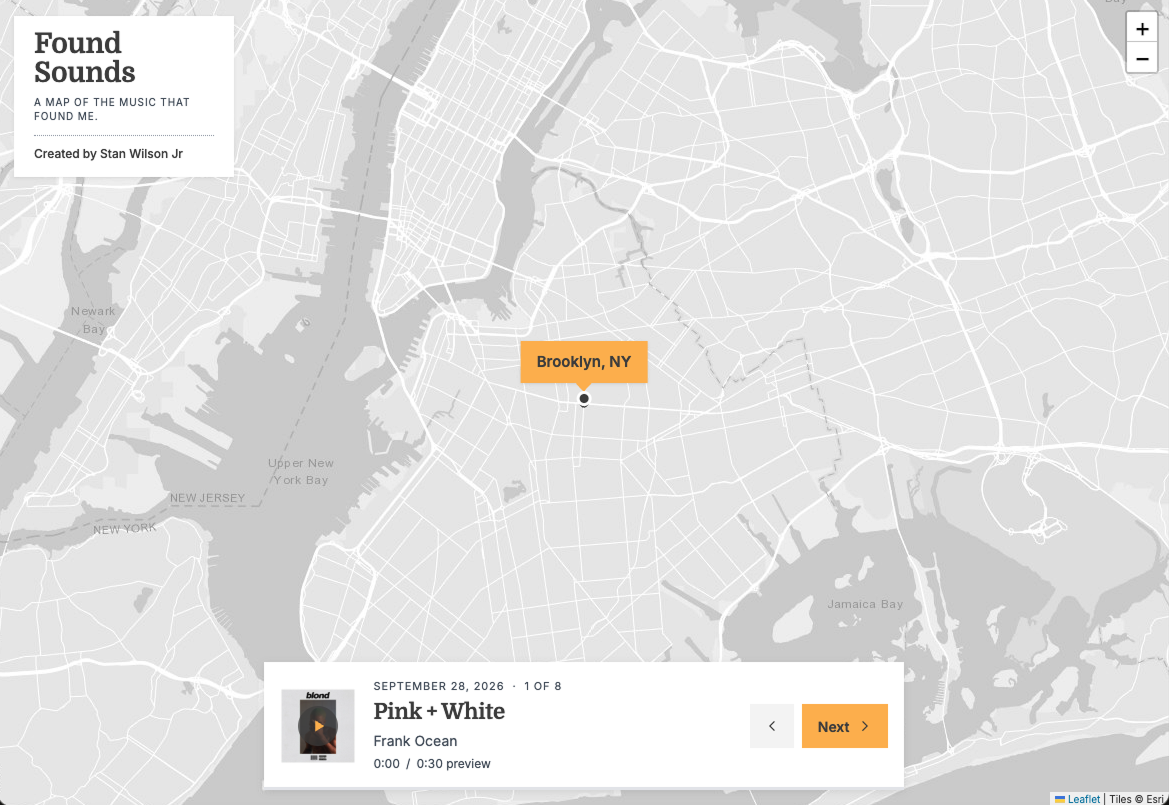
After producing a site that worked from a design and also tech standpoint, Found Sounds was created (well kinda). There was nothing powering it and no way to update it. So I had to circle back to my workflow to connect the dots so to speak.
Connecting the dots
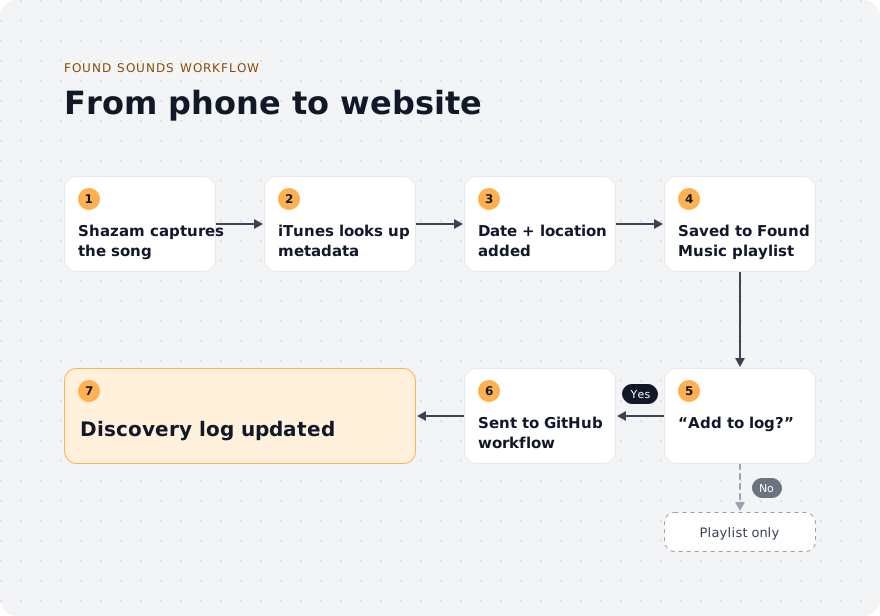
Now that I had a target for what data I should send over to the website, I thought connecting the dots was going to be relatively easy. I did feel pretty confident because I knew that there was a GitHub app that I could use to trigger a workflow that would then update the code and redeploy to the website. As in most things, the last step is typically the hardest, and this did not buck that trend. While setting up a workflow in GitHub was pretty good, pretty easy, straightforward the GitHub shortcut integration was a disappointment. This is what they make APIs for. So I pivoted to integrate an API call into my flow, and it worked almost immediately. Below is a rough capture of what the flow looks like all together.
This definitely was a worthwhile experience. Would love to try this with something else. The site is foundsounds.blog. As I post this it is days old. Definitely connect with me, around any issues you might find or the experience or any thoughts you have around it or the related workflow. thanks

Stan Wilson Jr